APOB AI vs Akool: The Ultimate Face Swap Benchmark (2026)
Face swaps are printing money right now. TikTokers are raking in millions of views, meme lords are cashing fat cheques, and even brands are swapping celebrity faces onto campaigns like there's no tomorrow.
But here's the dirty truth—most face swap tools make you look like a melted wax figure that's been left in the sun too long. You've got two real choices in 2026: cheap and cheerful, or premium and polished.
That's where APOB AI vs Akool comes in. I spent two weeks torturing both platforms with tricky videos, dodgy lighting, and side profiles that usually make AI tools have a proper meltdown. One absolutely crushed it. The other? Let's just say it left some questions unanswered.
⚔ APOB AI vs Akool: What You're Really Choosing Between
| Feature | APOB | Akool |
|---|---|---|
| Starting Price | $10.99/month | $30/month |
| Max Resolution | HD | 8K |
| Processing Speed | 2-3 minutes | 5-7 minutes |
| Free Credits | 80 daily | 50 Sign up/ 25 Daily login |
| Best For | Social media creators | Professional projects |
APOB AI: The Budget-Friendly Beast
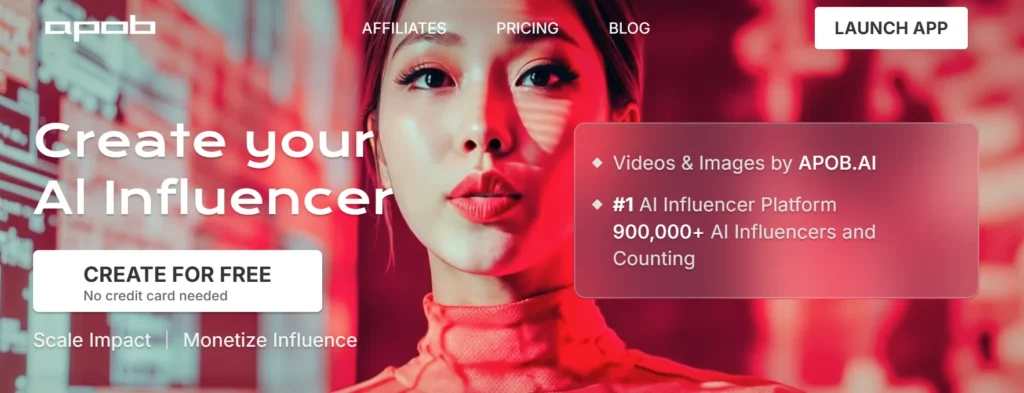
APOB positions itself as your all-in-one AI creator playground. Face swaps are just one trick in its arsenal—you can also generate AI influencers, create talking avatars, and convert boring static images into video content.
The platform runs entirely in the cloud, meaning zero installation headaches. Upload your face, pick your target, and APOB handles the heavy lifting on their servers. You get 80 free credits daily just for signing up, which is proper generous for testing before committing.
Akool: The Professional Powerhouse
Akool isn't messing about. This platform targets marketers, agencies, and creators who need broadcast-quality outputs. Their claim to fame? Face swaps in 4K and 8K resolution that look professional straight out of the box.
Akool's free tier lets you test the waters, though you'll deal with watermarks and limited generations. Still, it's enough to see if the quality justifies the premium price tag.
👨💻 The Real Test: Swapping Faces on Trending Content
Right, let's get to the juicy stuff. I grabbed a viral dance video—quick movements, dramatic lighting changes, and plenty of side profile action. Basically, everything that makes face swap tools have an existential crisis.
APOB AI Performance: Quick but Quirky
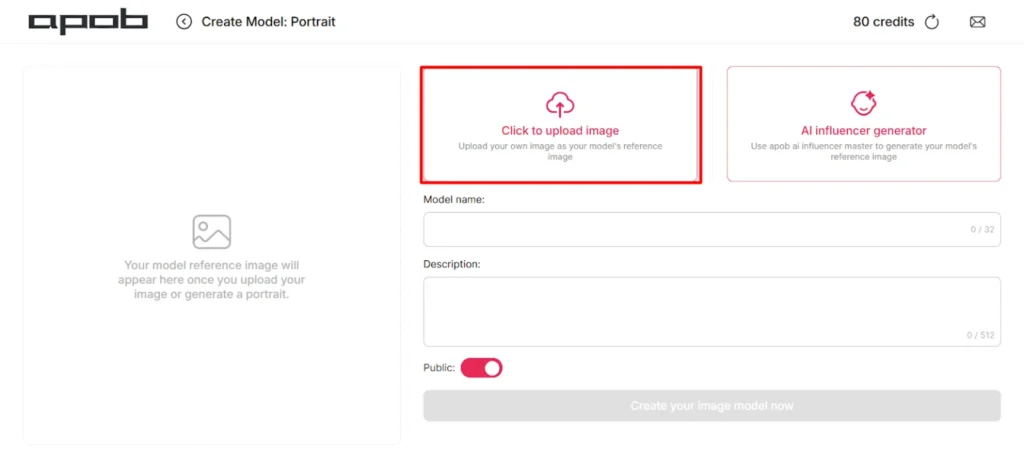
Uploading to APOB was dead simple. Drag your source face, select the target video, hit generate. Processing took about 2-3 minutes for a 10-second clip.
The results? Surprisingly solid for the price point. APOB AI nailed face mapping during straight-on shots, maintaining skin tone and facial structure without making the subject look Photoshopped by a drunk toddler. The face stayed glued on through most movements.
But here's where things got dodgy:
For TikTok, Instagram, or YouTube content? Absolutely fine. For anything requiring professional scrutiny? You'd spot the AI's fingerprints immediately.
Akool Performance: Premium Price, Premium Results
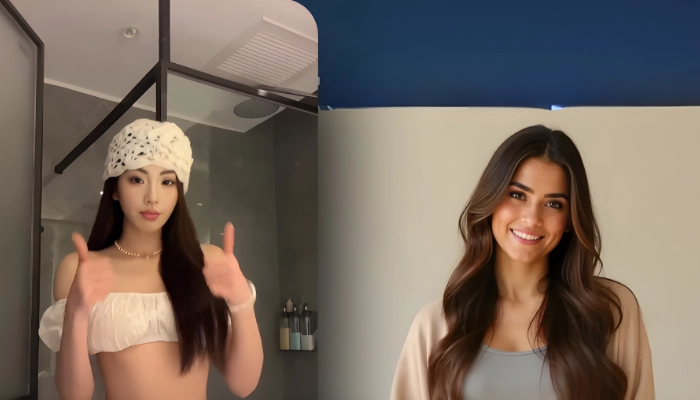
Akool took longer—nearly 5-7 minutes for the same clip. But bloody hell, the quality difference slapped you in the face from frame one.
The face tracking was spot-on even during rapid movements. Side profiles that made APOB stumble? Akool handled them like an absolute champ, maintaining facial structure and depth that looked genuinely real. The jawline stayed crisp, eyes kept proper positioning, and there wasn't a single frame where the face appeared to float.
Lighting adaptation was where Akool truly flexed its muscles. When the dancer moved through different lighting zones, the swapped face adjusted brightness, shadows, and skin tone dynamically. It matched the scene's atmosphere so perfectly that I had to rewatch several times to confirm it was actually swapped.
The 4K output option made details sharper—individual pores, subtle expressions, and even natural skin texture remained visible. This is the kind of quality you'd need for commercial campaigns where your reputation's on the line.
✅ APOB AI vs Akool: Ease of Use Showdown ✅
APOB AI: Genuinely Easy
APOB's interface feels like it was designed for actual humans. Everything sits exactly where you'd expect it. Upload source, select target, choose settings, generate. Even your technologically-challenged mate could figure it out in under 5 minutes.
The platform offers helpful prompts without being annoyingly hand-holdy. Preview options let you check results before committing credits, and the mobile app works surprisingly well for on-the-go edits.
Akool: Professional Without the Headache

Akool's interface is slightly more complex, reflecting its professional target audience. You've got more options, more settings, and more ways to customise outputs. But it's still intuitive—think professional software that doesn't require a PhD to operate.
The dashboard clearly displays credit usage, processing queues, and project history. API integration exists for developers, though most creators will stick with the straightforward web interface.
Quality Face-Off: Round by Round
| Category | APOB | Akool | Winner |
|---|---|---|---|
| Facial Tracking Accuracy | 7/10 – Solid on frontal shots, struggles with angles | 9.5/10 – Consistent across all angles | Akool |
| Lighting & Colour Matching | 6.5/10 – Works in consistent lighting, fails in dynamic scenes | 9/10 – Adapts brilliantly to lighting changes | Akool |
| Processing Speed | 9/10 – 2-3 minutes average | 6/10 – 5-7 minutes average | APOB |
| Resolution & Detail | 7/10 – HD quality, good for social media | 10/10 – 4K/8K options, broadcast-ready | Akool |
| Value for Money | 9/10 – Brilliant for budget creators | 7.5/10 – Justified for professional use | APOB |
💸 Pricing Battle: What Actually Gets You Value?
APOB AI Pricing Breakdown

The Micro plan at $10.99 monthly gives you 4,000 credits—enough for up to 3 minutes of video face swaps and 200 images. That's solid daily social media content without constantly checking your balance. The Macro plan at $29.99 monthly with 40,000 credits is the sweet spot for regular content creators pumping out face swaps weekly.
The 80 daily free credits are perfect for testing different approaches before committing to paid generations. This lets you experiment with source images, test various videos, and figure out what works before spending actual money.
✅ Best for: Content creators on tight budgets who need good-enough quality for platforms where perfection isn't critical.
Akool Pricing Analysis
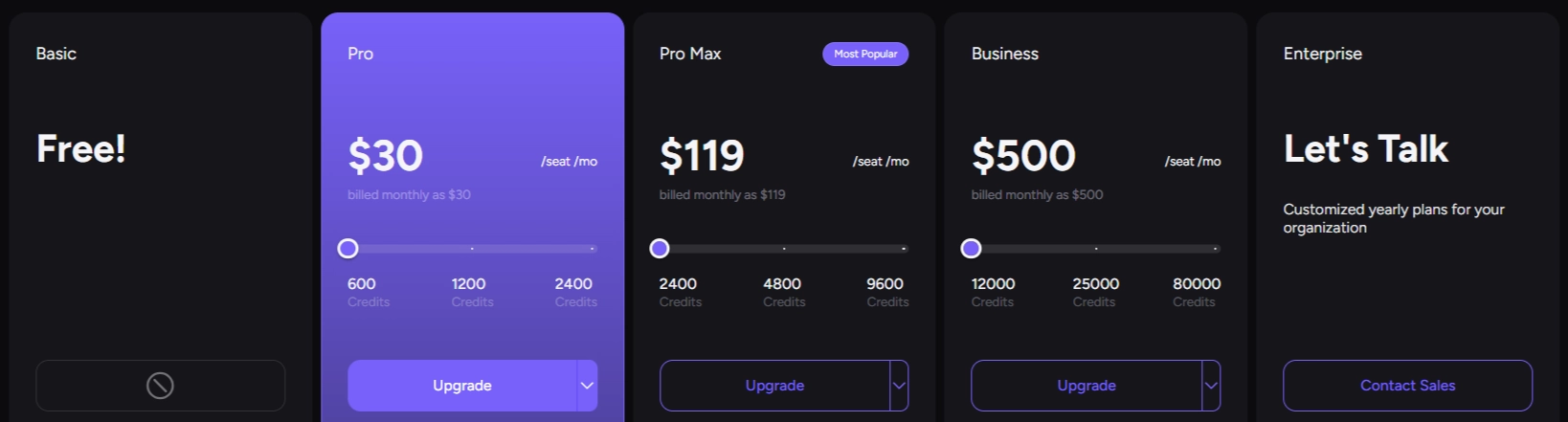
Pro plan at $30 monthly gives you 600 credits—sounds like loads until you realise video swaps eat through them fast. The upside? You get up to 60 minutes of live face swap capability, which is massive for creators doing live streams or extended video content.
Pro Max at $119 monthly includes 2,400 credits plus advanced features like multi-face swaps and commercial licensing. For agencies billing clients or creators monetising professional content, these credits translate to serious output volume.
✅ Best for: Agencies, professional videographers, and creators doing commercial work where quality directly impacts earnings.
🎭 Fix AI Face Glitches: Pro Tips for Both Tools 🎭
Floating Face Syndrome
Colour Mismatch Disasters
Warped Features During Movement
Edge Artifacts & Blend Issues
The Verdict: Which Tool Wins Your Cash?
Choose APOB AI when:
Choose Akool when:
Here's the honest truth—APOB punches well above its weight for social media creators. At $10.99-29.99 monthly, it delivers quality that's absolutely acceptable for platforms where viewers scroll past in seconds.
Akool justifies its premium pricing for professionals. That $30-119 monthly investment pays for itself when one commercial project covers three months of subscriptions, or when your enhanced content quality drives measurably better engagement and earnings.
⭐ My prediction? In 12 months, Akool will dominate commercial face swap work while APOB captures the massive creator economy market. They're not really competing—they're serving different needs at different price points.